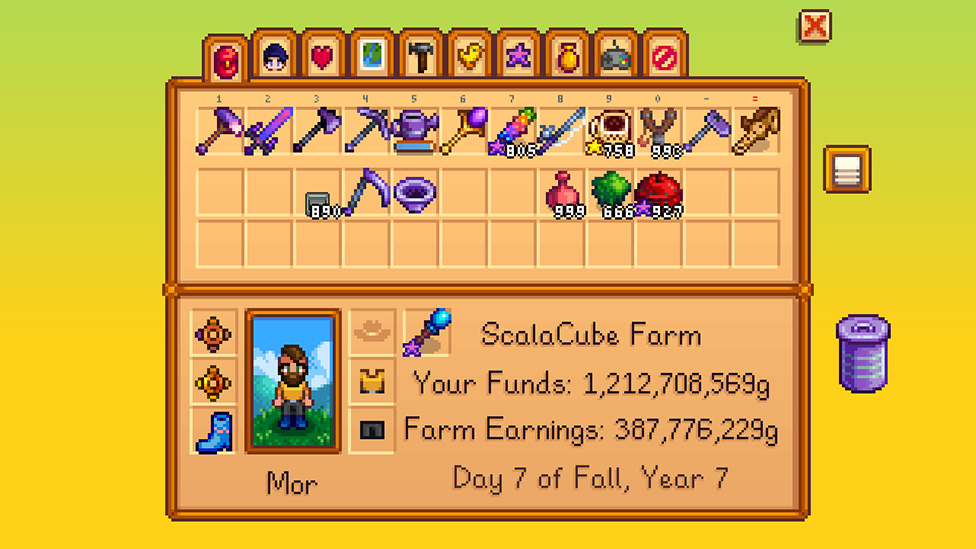
Stardew Valley
Starts players with limited space that expands through backpack upgrades, and includes a trash can, auto-sort, and organize-by-type.
For MinecraftConfirmed a trash slot and one-click sorting as familiar, low-friction patterns.
UX Case Study · Solo Project
Reducing clutter and speeding up item management in one of gaming's most iconic interfaces, without breaking the familiarity players rely on.
Minecraft's inventory has barely changed while the item pool grows with every update. As players collect more, the grid gets cluttered, space runs out, and look-alike icons slow them down, especially on console.
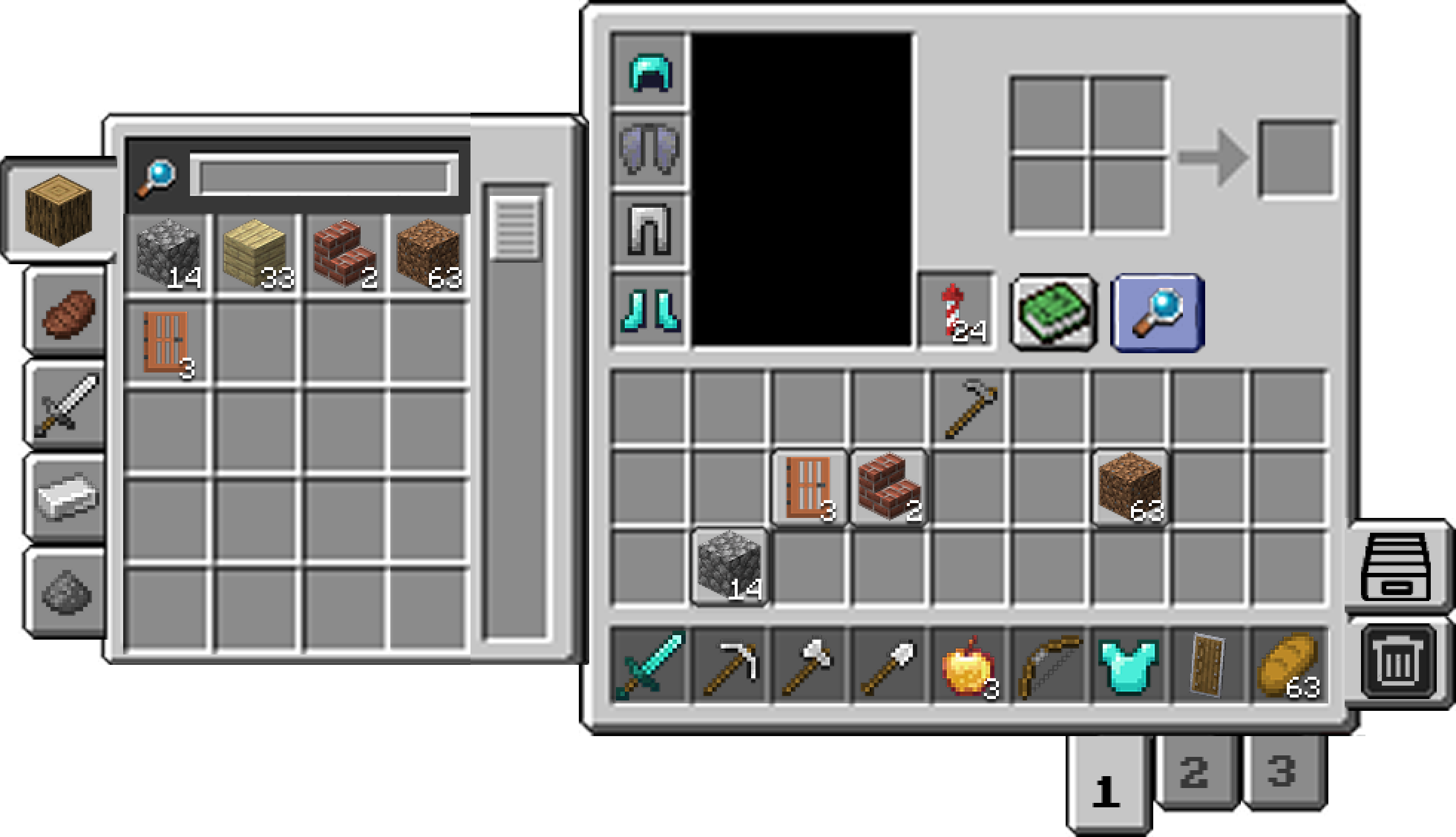
Four modular features (Trash Can, Sort and Search, Autosort, and Hotbar Presets), each mapped to a validated pain point and built in Minecraft's existing visual language so they feel native.
Step 01
I surveyed 92 players and followed up with user interviews, structuring questions around four areas:
I started by asking players their age, how often they play, and which devices they play on. Minecraft runs on PC, console, and mobile, and the inventory works differently on each, so knowing where people play helped me separate universal pain points from platform-specific ones.
Next, I asked which game mode players spend most of their time in and what they enjoy doing most. A builder uses the inventory very differently from someone focused on combat or exploration, and this context later explained why opinions on the hotbar were so divided.
Players rated how strongly they agreed with statements about exploring, building, automating, mining, and other activities. This showed which habits fill the inventory fastest, pointing me toward the moments where clutter becomes a real problem.
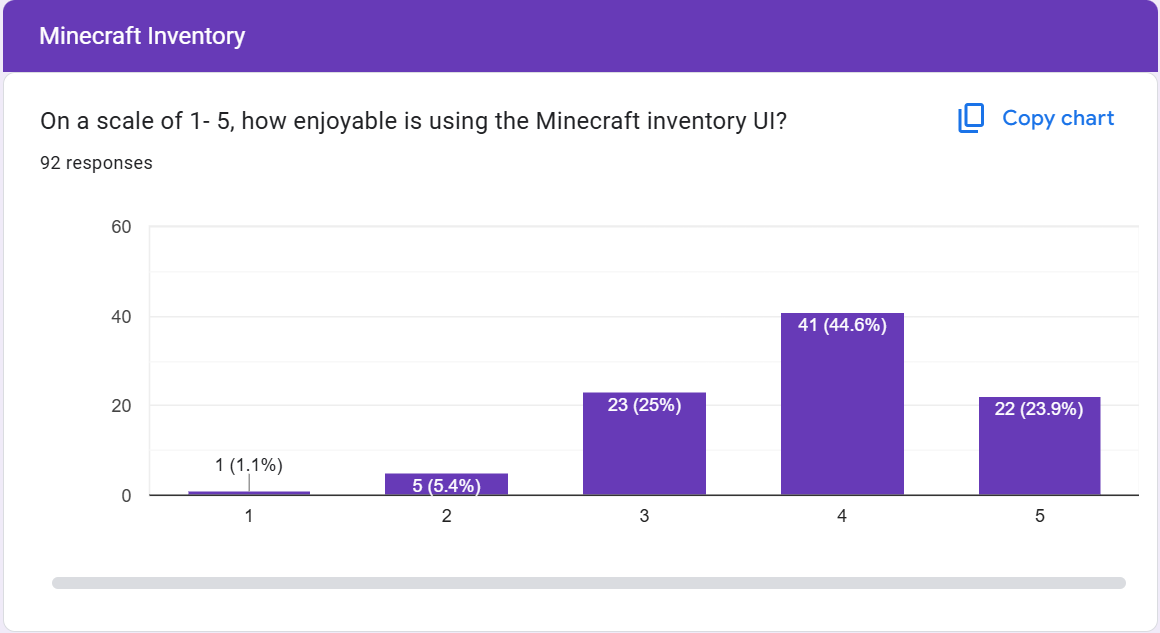
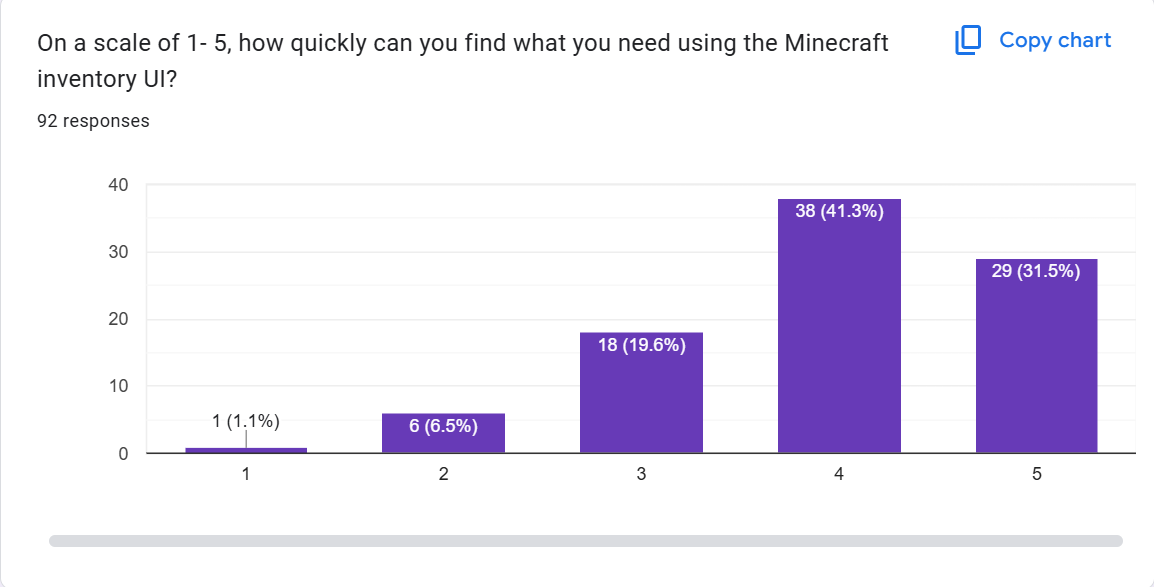
Finally, players rated the inventory from 1 to 5 on how enjoyable it is, how easy its information is to take in, and how quickly they can find what they need. These scores gave me a baseline for how well the current design performs before proposing any changes.
Step 02
I audited inventory systems in three games that solve similar problems, guided by two questions:
How are comparable games handling large inventories?
Which of those tools and patterns could translate to Minecraft?
Starts players with limited space that expands through backpack upgrades, and includes a trash can, auto-sort, and organize-by-type.
For MinecraftConfirmed a trash slot and one-click sorting as familiar, low-friction patterns.
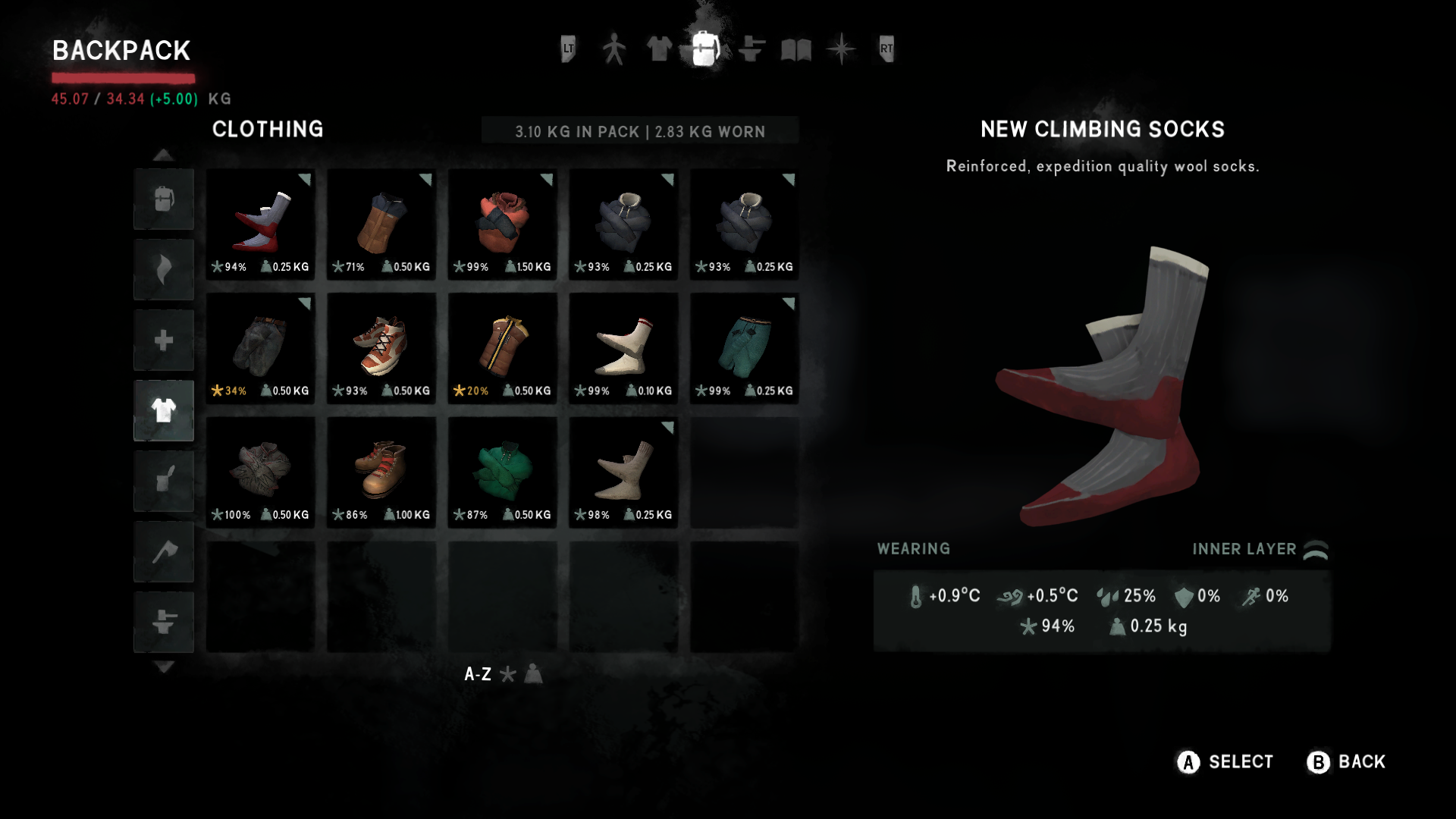
Category tabs filter the backpack by item type, keeping a large inventory scannable.
For MinecraftTabs paired with search could tame Minecraft's enormous item pool.
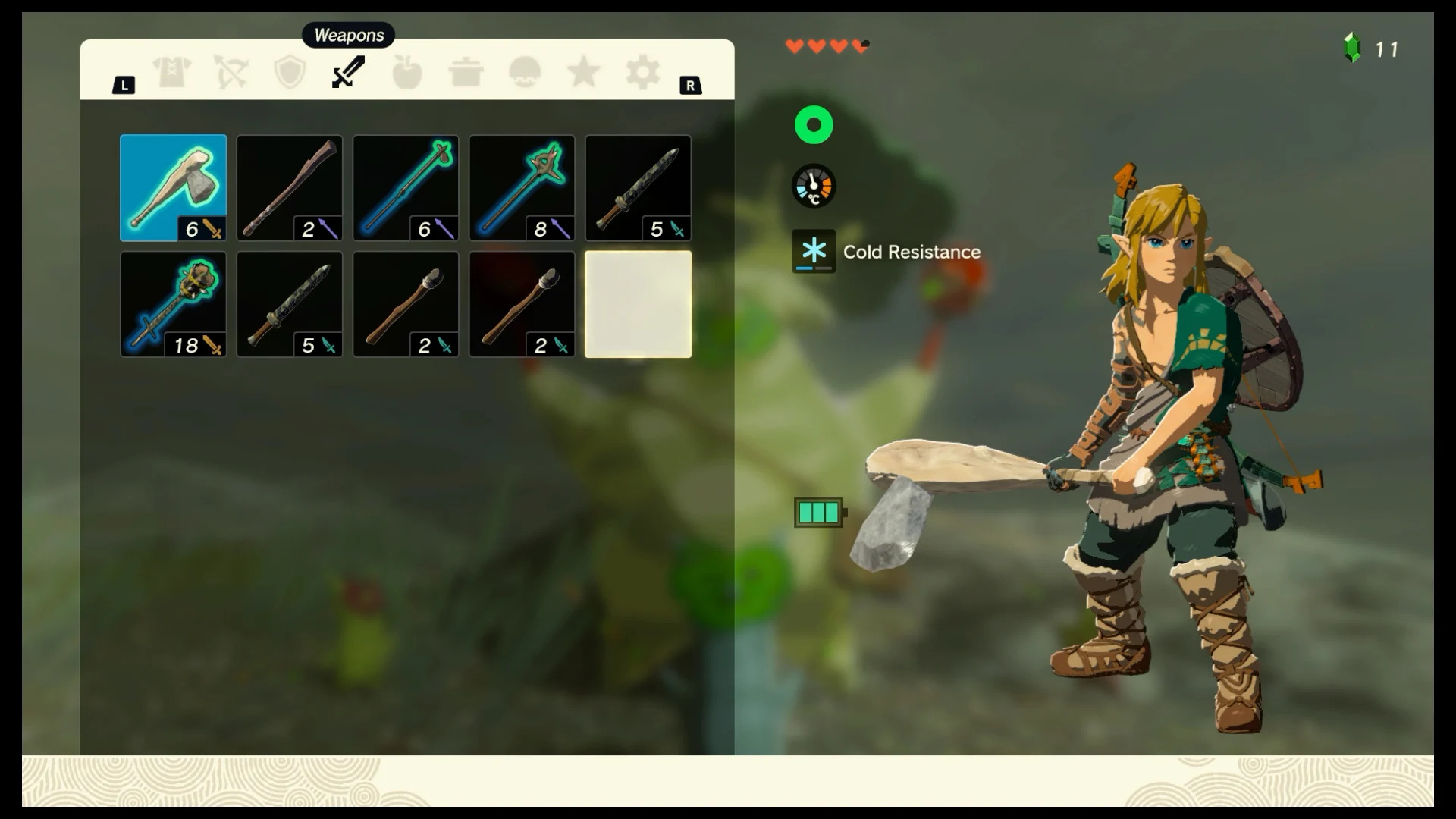
Top-aligned category tabs built for controller navigation first.
For MinecraftAny new navigation has to work with a controller, not just a mouse, for console players.
Step 03
Synthesizing the survey, interviews, and competitive audit surfaced three core pain points:
As the grid fills, look-alike icons create visual noise and specific items become hard to find. Sorting by hand is slow, especially with a controller.
Nine slots can't hold every tool a player needs, so switching between building, combat, and mining means constantly reshuffling.
There's no quick way to discard items. Dropped items are often re-collected by auto-pickup, especially in tight spaces underground.
Design Goal
How might we help players who love to explore and build keep their inventory organized, without adding clutter or losing Minecraft's familiar feel?
Step 04
Each feature targets a specific pain point. Every addition reuses Minecraft's existing slot grid, buttons, and iconography, so the changes feel native to long-time players.
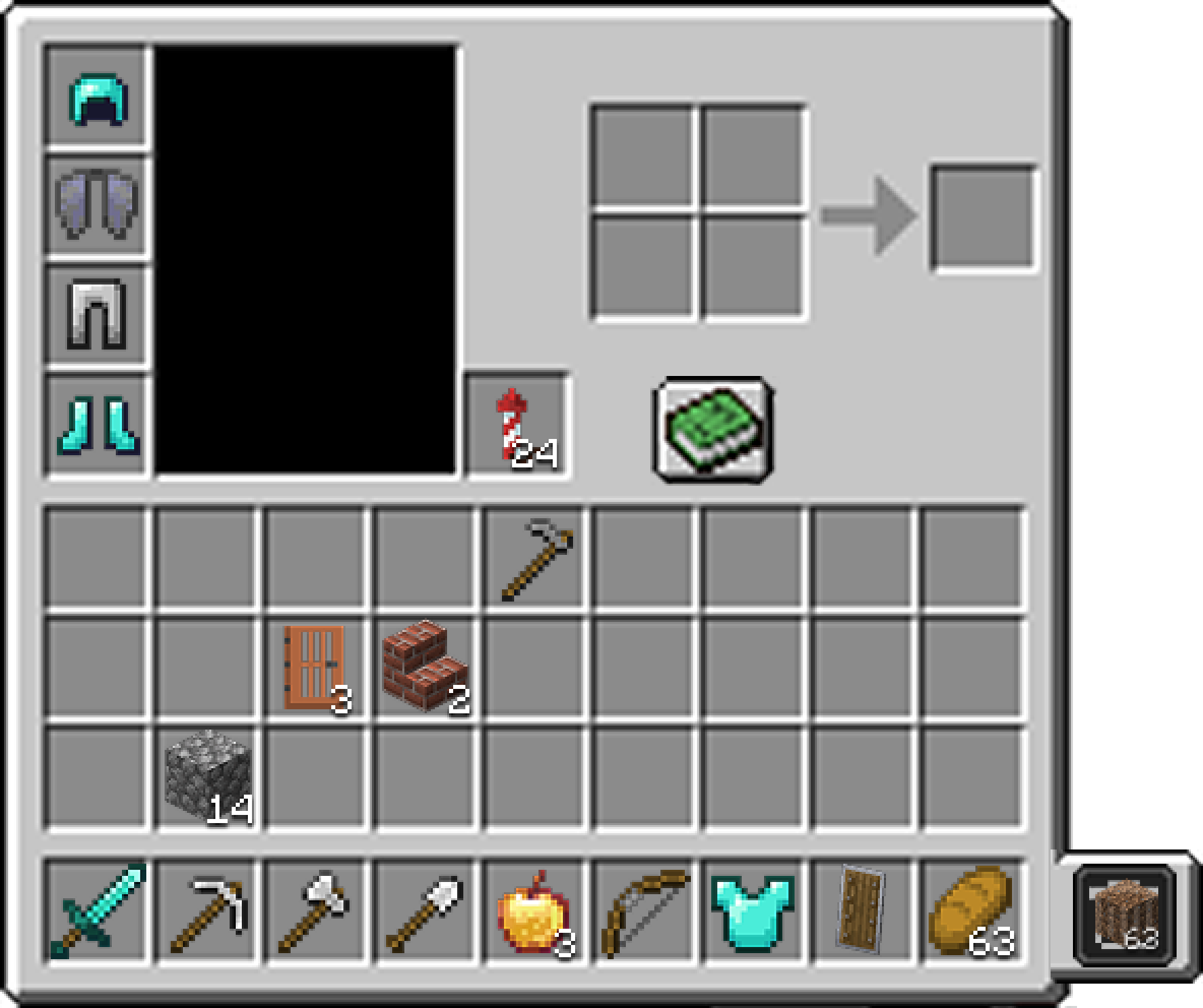
01
A dedicated trash slot beside the hotbar. Items placed there are deleted after 5 minutes, one stack at a time, which breaks the drop-and-re-collect loop while leaving a window to undo mistakes.
Solves: Difficult Inventory Management
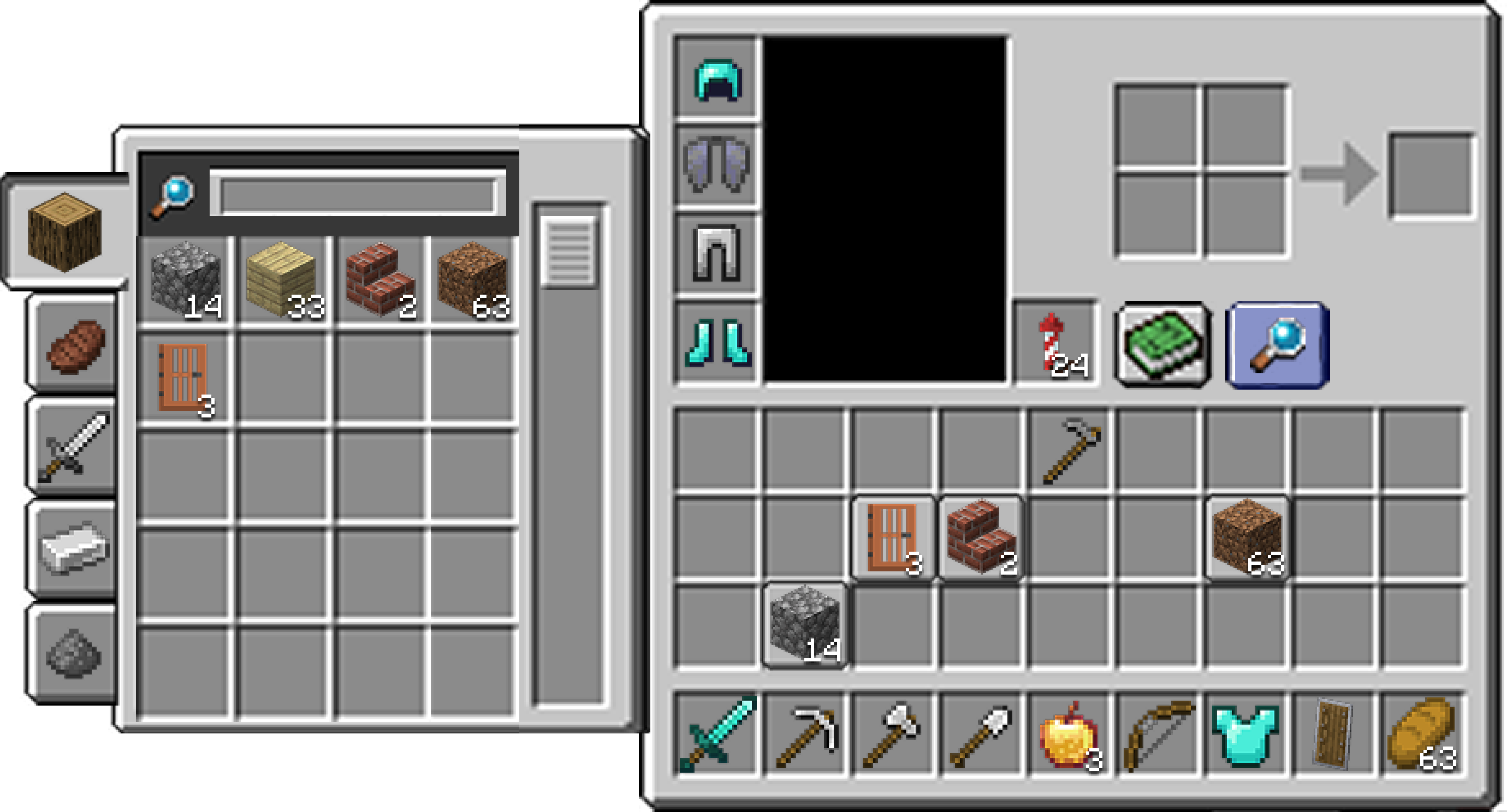
02
A tabbed side panel groups items into five categories (Building Blocks, Consumables, Weapons/Armor, Mob Drops, and Crafting Materials), with a search bar for direct lookup. Selecting a category highlights matching slots in the main inventory, so players can locate items without rearranging them.
Solves: Inventory Clutter
03
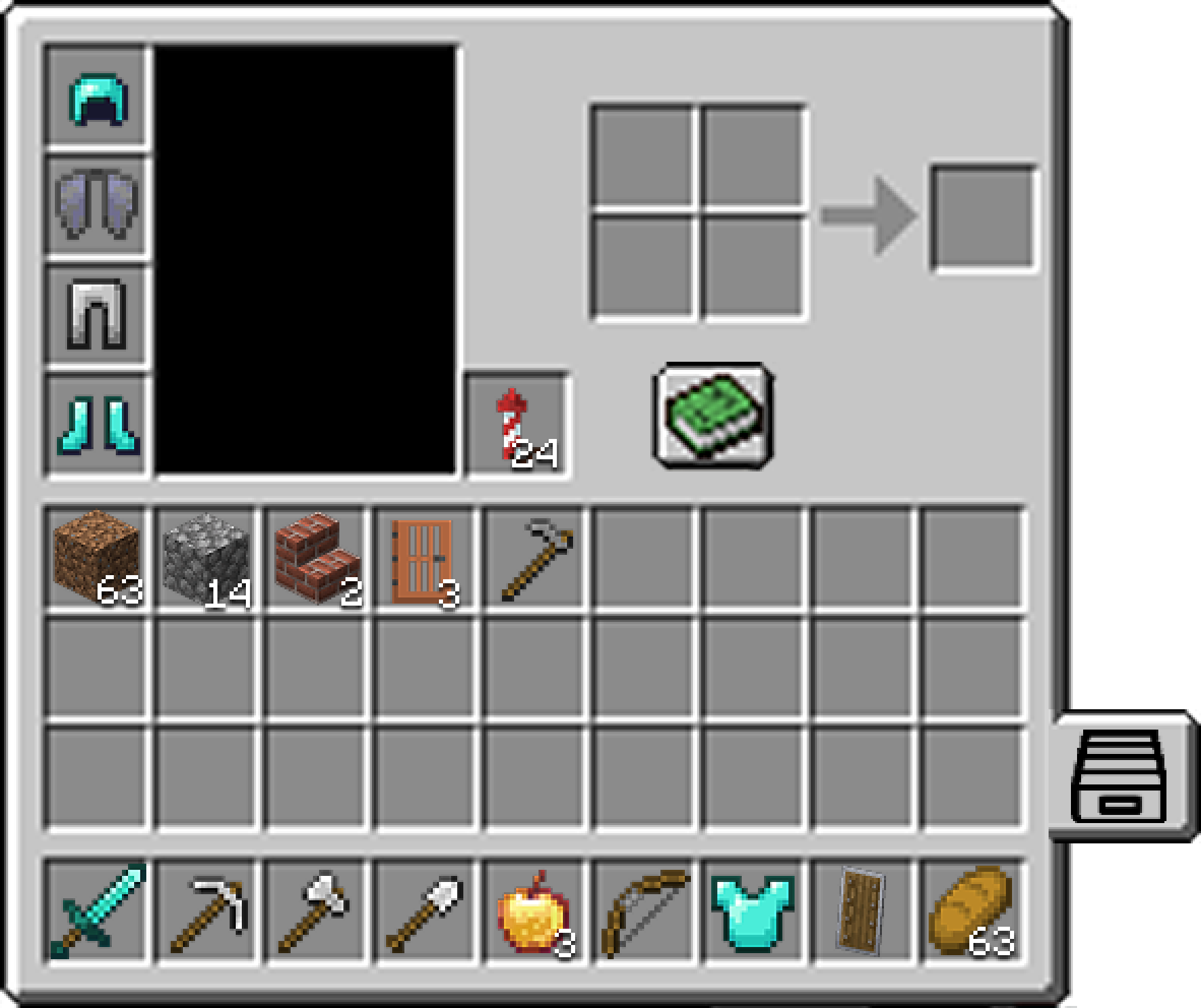
One button organizes the whole inventory, and chests support auto-stacking items in and out. This removes the most tedious part of inventory management, particularly for controller players.
Solves: Inventory Clutter
04
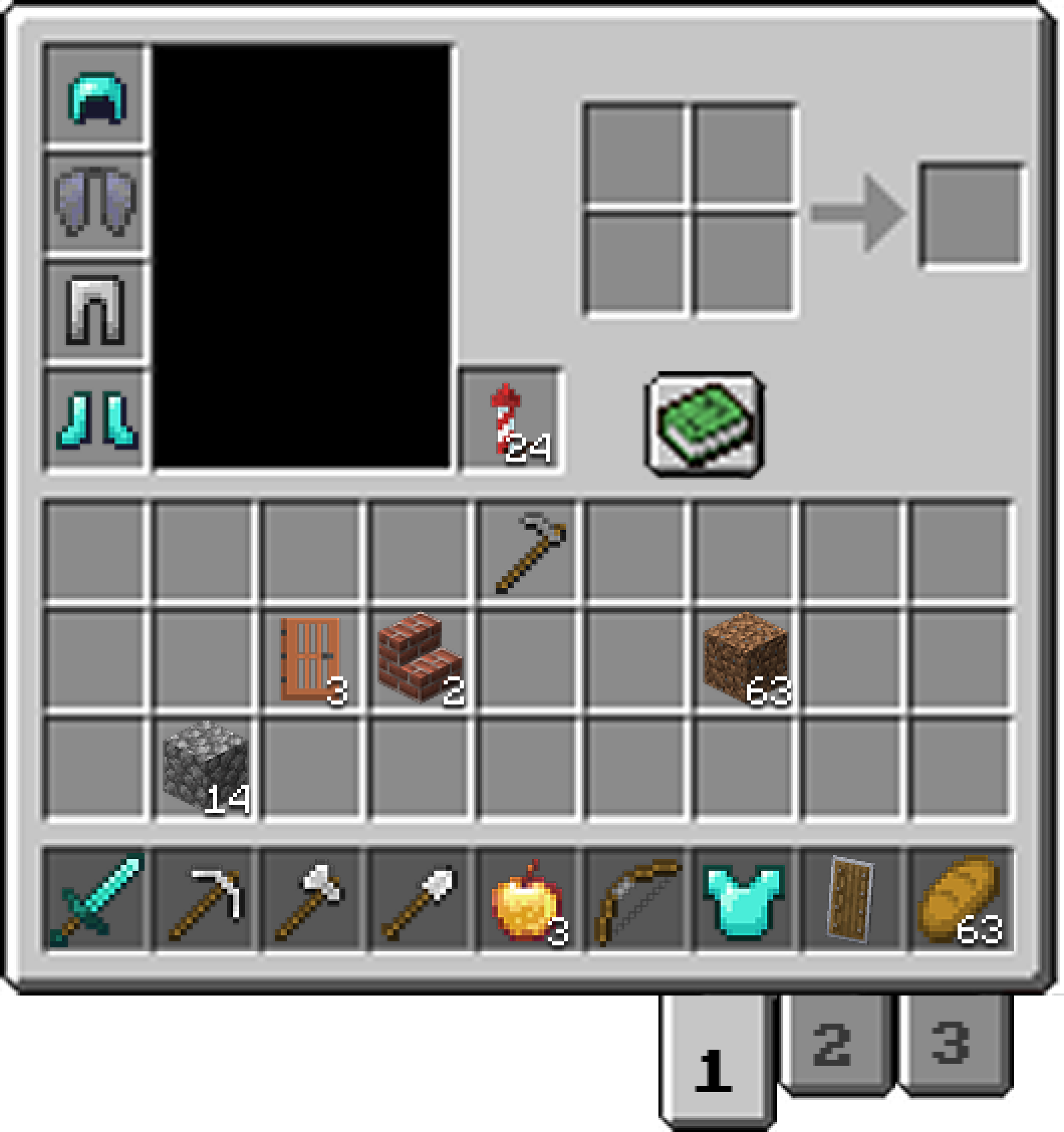
Players can save up to three hotbar loadouts and swap between them with numbered tabs (for example, one each for building, combat, and mining) instead of rebuilding the hotbar by hand.
Solves: Hotbar Clutter
The complete system working together. Sort and Search can be toggled off for players who prefer the classic minimal view.
Step 05
This inventory redesign was especially enjoyable for me, having played Minecraft for most of my life, but that familiarity also became one of my biggest challenges. I struggled with how to meaningfully update a UI that is both deeply nostalgic and deceptively simple.
I worked through this by leaning heavily on user testing and interviews. I spoke with players who had never touched Minecraft to identify areas that felt unintuitive, and with long-time players to uncover smaller friction points they had simply learned to live with. That combination of perspectives guided my iterations and helped me balance respect for the original design with thoughtful improvements.